
The world of professional E-Sports is growing rapidly across the globe, including India. Games like BGMI, Valorant, CS2, Dota 2, Fortnite, and FIFA have transformed gaming into a full-time career. However, skill alone is not enough to succeed at a professional level. A powerful and optimized gaming setup plays a crucial role in performance, reaction time, and consistency.
In this blog, we will explore the required gaming setup for professional E-Sports players, covering hardware, peripherals, internet, and environment essentials.
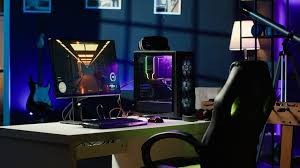
Why Gaming Setup Matters in E-Sports
In professional E-Sports, even a 1-millisecond delay can decide victory or defeat. A poor setup can cause:
- Input lag
- Frame drops
- Network delay
- Eye strain and fatigue
That’s why top E-Sports athletes invest heavily in high-quality gaming gear.
1. Gaming PC or Console (Core of E-Sports Setup)
Gaming PC (Most Preferred)
For PC-based E-Sports titles like Valorant, CS2, Dota 2, and Fortnite, a high-performance gaming PC is essential.
Recommended PC Specifications:
- Processor (CPU): Intel i7 / Ryzen 7 or higher
- Graphics Card (GPU): NVIDIA RTX 3060 / RTX 4060 or better
- RAM: Minimum 16GB (32GB recommended)
- Storage: 1TB NVMe SSD (faster loading & performance)
- Cooling: Liquid cooling or high-end air cooling
A stable PC ensures high FPS, smooth gameplay, and minimal lag.
Console (For Console E-Sports)
Games like FIFA and Call of Duty are often played on:
- PlayStation 5
- Xbox Series X
Make sure to use official controllers and high-refresh-rate monitors for competitive advantage.
2. High Refresh Rate Gaming Monitor
A professional E-Sports player must use a high refresh rate monitor.
Ideal Monitor Specs:
- Refresh Rate: 144Hz / 240Hz (minimum 144Hz)
- Response Time: 1ms
- Panel Type: IPS or TN (fast response)
- Resolution: 1080p (preferred for competitive gaming)
Higher refresh rates give smoother visuals and faster reactions.
3. Gaming Mouse (Precision is Everything)
A gaming mouse directly affects aim accuracy and control.
Key Features to Look For:
- Adjustable DPI (400–3200 DPI range)
- Lightweight design (under 80 grams)
- Optical sensor (no acceleration)
- Customizable buttons
Popular E-Sports Mouse Brands:
- Logitech
- Razer
- Zowie
- SteelSeries
4. Mechanical Gaming Keyboard
Professional players prefer mechanical keyboards for speed and durability.
Recommended Features:
- Mechanical switches (Red or Brown for E-Sports)
- Anti-ghosting & N-key rollover
- Compact layout (TKL or 60%)
Mechanical keyboards offer faster response compared to membrane keyboards.
5. Gaming Headset (Sound Awareness)
Audio awareness is critical in competitive gaming.
Gaming Headset Requirements:
- Surround sound (7.1 preferred)
- Noise-canceling microphone
- Clear footsteps audio
- Comfortable ear cushions for long sessions
Good sound helps in detecting enemy movements and in-game cues.
6. High-Speed Internet Connection
A professional E-Sports setup is incomplete without a low-latency internet connection.
Internet Requirements:
- Speed: Minimum 50 Mbps
- Ping: Below 20 ms
- Wired Ethernet connection (not Wi-Fi)
- Stable ISP with minimal packet loss
Lag can cost matches, rankings, and even tournament prizes.
7. Gaming Chair & Desk (Ergonomics)
Long gaming sessions demand proper posture.
Why Ergonomics Matter:
- Reduces back and neck pain
- Improves focus
- Prevents long-term health issues
A professional gaming chair with lumbar support and adjustable armrests is highly recommended.
8. Streaming & Recording Equipment (Optional but Important)
For players building a brand:
- Webcam (1080p)
- External microphone
- Capture card (for console players)
- Ring light or soft lighting
Streaming boosts visibility, sponsorship opportunities, and income.
9. Gaming Environment & Setup Optimization
Your room setup matters too:
- Proper lighting (no screen glare)
- Noise-free environment
- Clean desk setup
- Good ventilation
Mental comfort improves performance.
Final Thoughts
A professional E-Sports gaming setup is not about luxury—it’s about performance, speed, and reliability. While beginners can start with budget gear, aspiring professionals should gradually upgrade to meet competitive standards.